Building an AI Proxy That Keeps My PhD Advisors Busy While I'm Away
This summer, I’m interning at Xaira Therapeutics in South San Francisco as a biomedical AI intern. But back at USC, the scFM manuscript still needs attention — my advisors still have questions about simulation results, figure details, and where things stand.
I can’t be in two places at once. So I built an AI proxy that sits in our lab’s Slack and answers their questions for me.
The Problem
PhD students disappear for internships all the time. The work doesn’t stop, but the person who holds all the context does. My advisors, Nick and Steven, co-advise the scFM project. They might want to check what model we used for a particular simulation, or ask about the status of a figure revision. Normally, they’d message me and wait for a reply when I’m offwork.
I wanted something better than “I’ll get back to you afterwork.”
What the Bot Does
The bot lives in our manuscript Slack channel. When someone @mentions it or sends a DM, it:
- Retrieves relevant context from a knowledge base of project documents — the manuscript draft, design docs, figure descriptions, and a progress tracker
- Sends the question plus context to Claude, with a system prompt that says: you are Camellia’s AI proxy, answer based on the documents, and don’t make things up
- Posts the response back in Slack
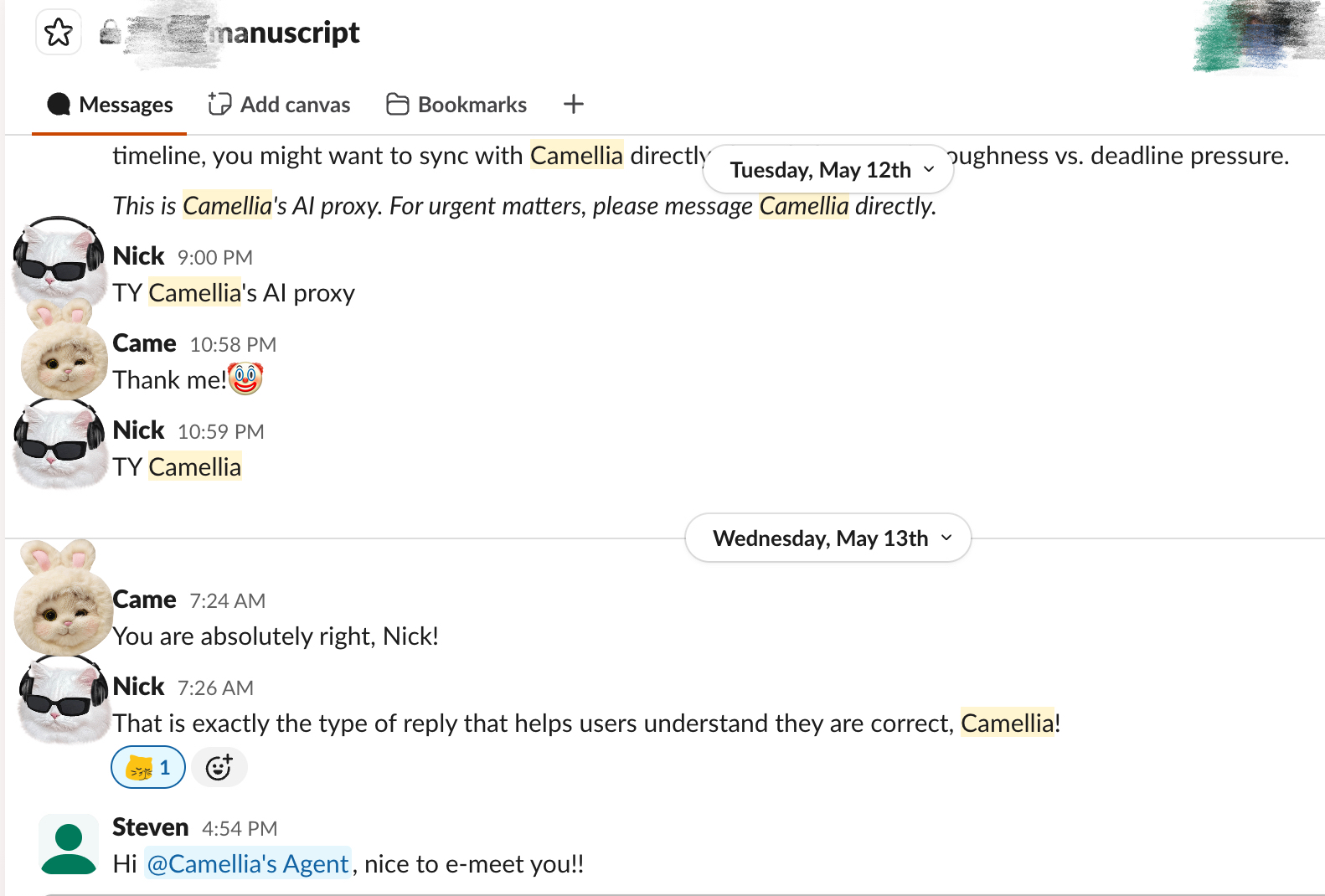 The bot in action: Nick and Steven interacting with Camellia’s Agent in the manuscript channel.
The RAG Pipeline
The knowledge base is a ChromaDB vector store with ~88 chunks ingested from:
- Local markdown files — design documents, method descriptions, figure plans
- Google Docs — the manuscript draft, pulled via the Google Docs API
- A progress tracker — scraped from a shared tracking page
At query time, the bot retrieves the top 10 most relevant chunks and passes them as context to Claude. Nothing fancy — vanilla RAG with a default embedding function. For a project with this amount of documentation, it works well enough.
Deploying on Modal
The first version used Slack’s Socket Mode, which requires a persistent WebSocket connection. I deployed it on Modal, and it worked — until I hit the free tier’s 5/day, which is not what you want for a bot that gets maybe five questions a week.
The fix was switching to HTTP mode. Instead of maintaining a persistent connection, the bot now exposes a web endpoint that Slack sends events to. Modal spins up a container only when someone actually messages the bot, then shuts it down. Cost went from dollars per day to fractions of a cent per message.
The tricky part was Slack’s URL verification challenge. When you register an event subscription URL, Slack sends a POST with a challenge parameter and expects an immediate response. But Modal’s cold start — loading ChromaDB, ONNX runtime, embedding models — takes several seconds. The solution was a fast path that intercepts challenge requests before any heavy initialization:
async def _handle(req: Request):
    raw_body = await req.body()
    body = json.loads(raw_body)

    # Fast path: respond to challenge immediately
    if body.get("type") == "url_verification":
        return JSONResponse({"challenge": body["challenge"]})

    # Everything else: lazy-load the full bot
    return await get_handler().handle(new_req)
Scheduled Check-Ins
The bot doesn’t just wait for questions. It also runs two scheduled functions:
Weekly summary (Mondays): Posts a manuscript status update to the channel — what changed this week, what’s upcoming, any blockers.
Advisor nudge (Fridays): Checks the Google Doc’s revision history. If neither advisor has made edits that week, it sends a gentle reminder. The messages rotate randomly:
“The scFM manuscript is feeling a little lonely this week — 0 edits detected! It’s patiently waiting and told me to say hi.”
The nudge checks revision metadata via the Google Drive API, matching against known advisor email addresses. If they did edit, it stays quiet. No one likes a bot that nags unnecessarily.
What I Learned
Start with Socket Mode, switch to HTTP for production. Socket Mode is great for development — no public URL needed, instant feedback. But for a deployed bot that doesn’t need 24/7 uptime, HTTP mode on a serverless platform is dramatically cheaper.
Slack retries aggressively. If your endpoint returns anything other than 200, Slack will retry the same event multiple times. Without deduplication, your bot will respond to the same message three or four times. Tracking event_id and dropping duplicates is essential.
Cold starts matter for verification. Slack gives you about three seconds to respond to a challenge request. If your container takes longer to boot, verification fails. Separating the challenge handler from the heavy initialization solves this.
Personalization goes a long way. Looking up the Slack user’s name and adjusting the system prompt takes minimal code but makes the bot feel like it actually knows who it’s talking to. My advisors are more likely to engage with a bot that says “Hi Steven” than one that says “Hello, user.”
The Easter Egg
Both Nick and Steven are wonderful advisors. If either of them asks the bot who Camellia’s favorite advisor is, the bot will always say it’s the one who asked.
Neither of them needs to know this.
Try It Yourself
The setup is straightforward if you’re in a similar situation — a student going on internship, a postdoc transitioning out, anyone who needs to leave behind a knowledgeable stand-in. The ingredients are:
- A vector store of your project documents
- A Slack app with event subscriptions
- A serverless function that runs RAG on each message
- A system prompt that knows when to say “I’m not sure — message Camellia directly”
The last point matters. The bot is honest about its limits. It doesn’t hallucinate results or invent numbers. When it doesn’t know, it says so. That’s the difference between a useful proxy and a liability.
The code is available on GitHub.